A playbook is one job written out step by step before it runs. Not a model deciding at runtime what looks reasonable: a fixed sequence you can read first, that does the same thing every Tuesday.
The 27 playbooks, and where to find them
All 27 live under Super Agents, in the Every playbook list, with the category, the number of steps and whether it can change the site shown on every card. 10 can change a site. The other 17 only read it.
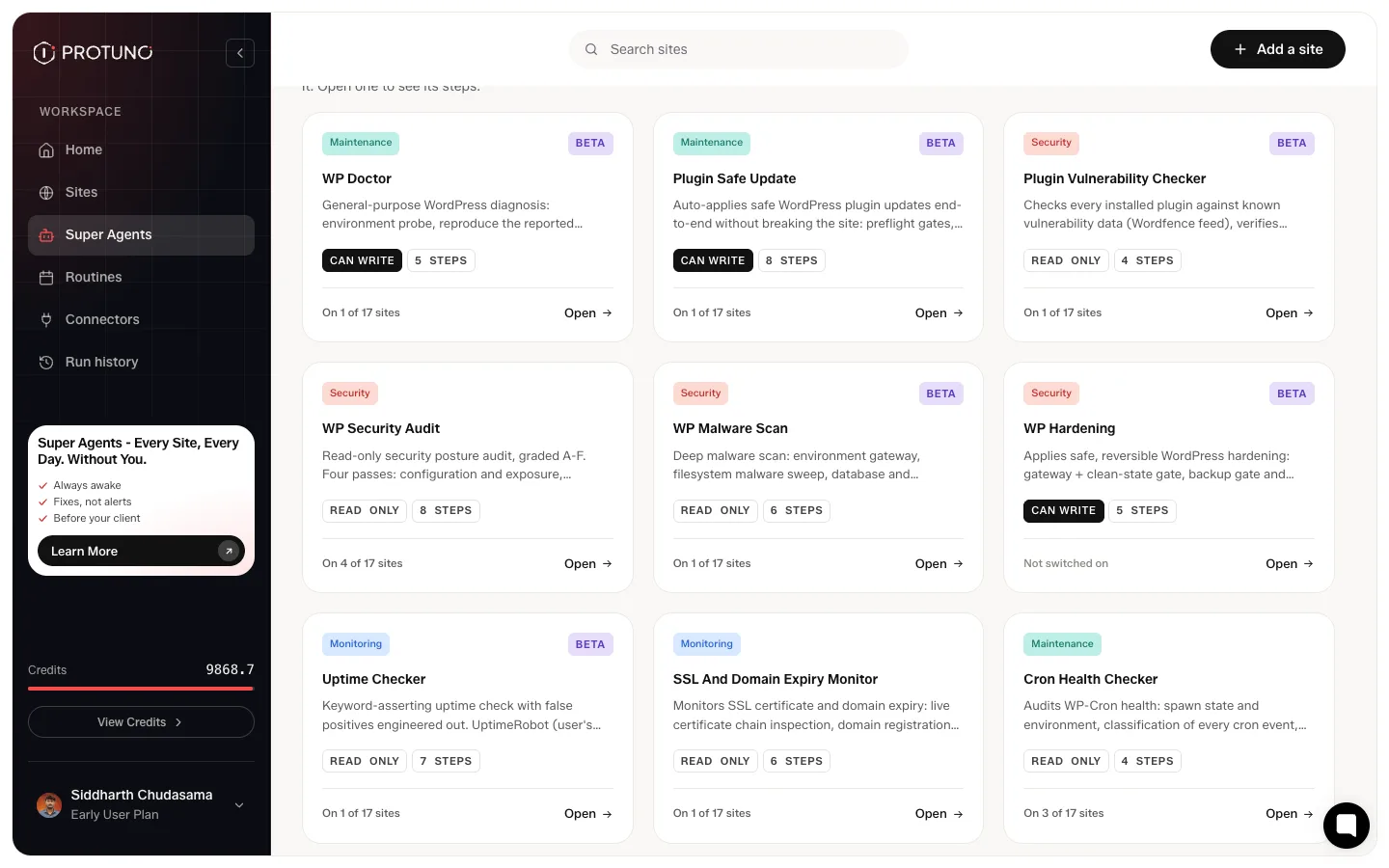
The six named agents above the list each own a group of these playbooks. You ask an agent in your AI app, and it picks the playbook for the job.
21 of the 27 carry a BETA tag on their card. They run, and they are the ones still being shaped. Six do not: WP Security Audit, SSL And Domain Expiry Monitor, Cron Health Checker, SMTP Deliverability Check, Broken Image Finder and Spam Comment Deleter.
What a playbook page shows you
A playbook page shows every step in order, and each step opens to reveal the instructions it runs and what it hands to the next step. A playbook that needs a restore point has a backup step of its own, and it shows up as a step.
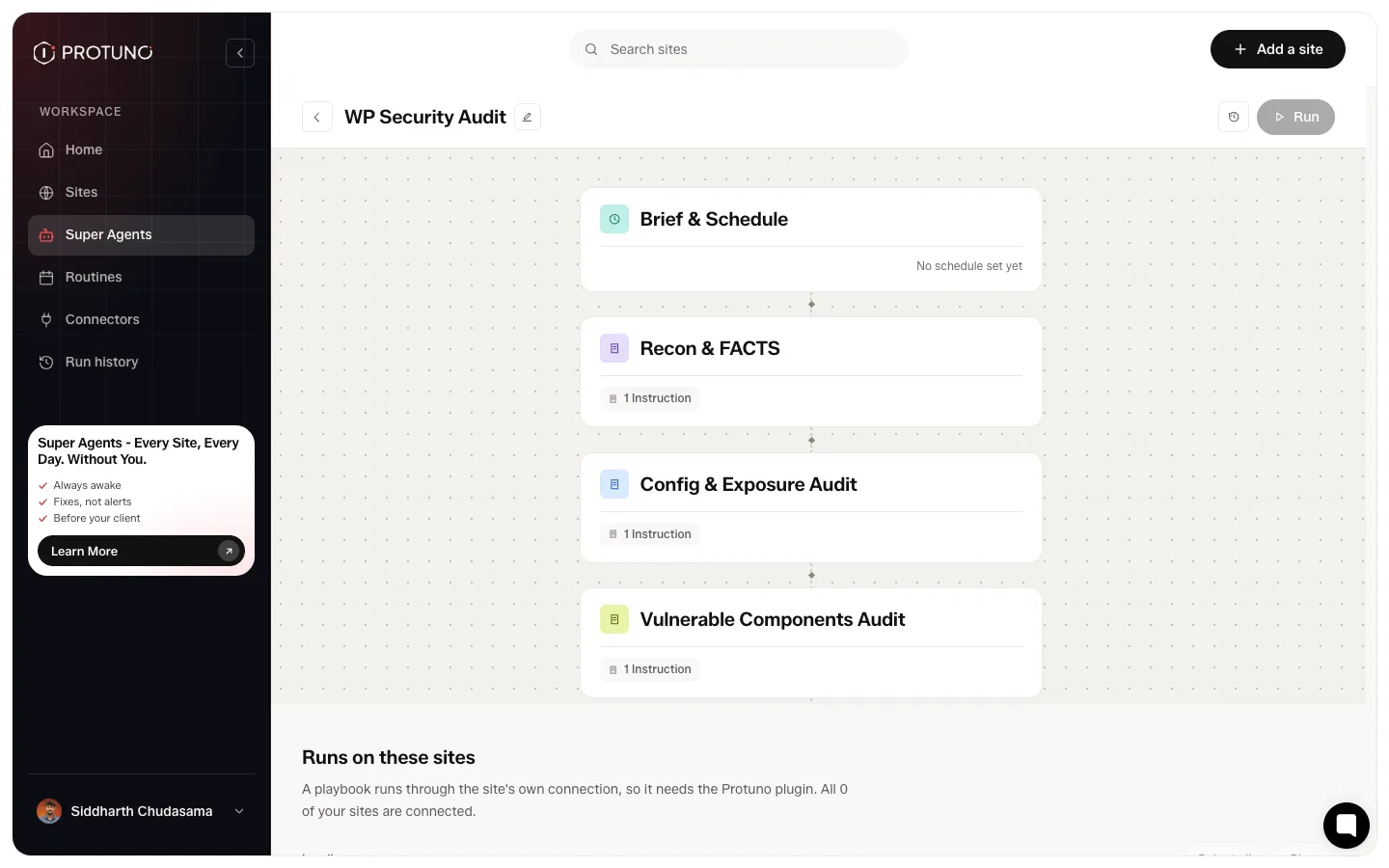
Two things are worth knowing. Each site gets its own copy of the steps, so editing one site’s playbook does not touch another’s. And switching a site off keeps that copy rather than destroying it, so switching back on returns what was there.
Switching on is not running
On each agent’s page, for the site you pick, each playbook has a switch, and they start switched on. The switch decides whether a playbook can be used on that site. It does not run it. To run one, ask in your AI app, or press Fix this on a finding. Run the playbooks that change things on your staging site, not your live one.
Reading the run report
Every run lands in Activity. A finished run carries one of three verdicts: Passed, Needs attention, or Failed. Cancelled is a fourth terminal state, for a run that was stopped rather than judged. While a run is still going you will also see Running, Finishing report, Waiting for a slot and Waiting on you.
A job across several sites runs one site at a time. A failure on one does not stop the rest, and you get one combined report.
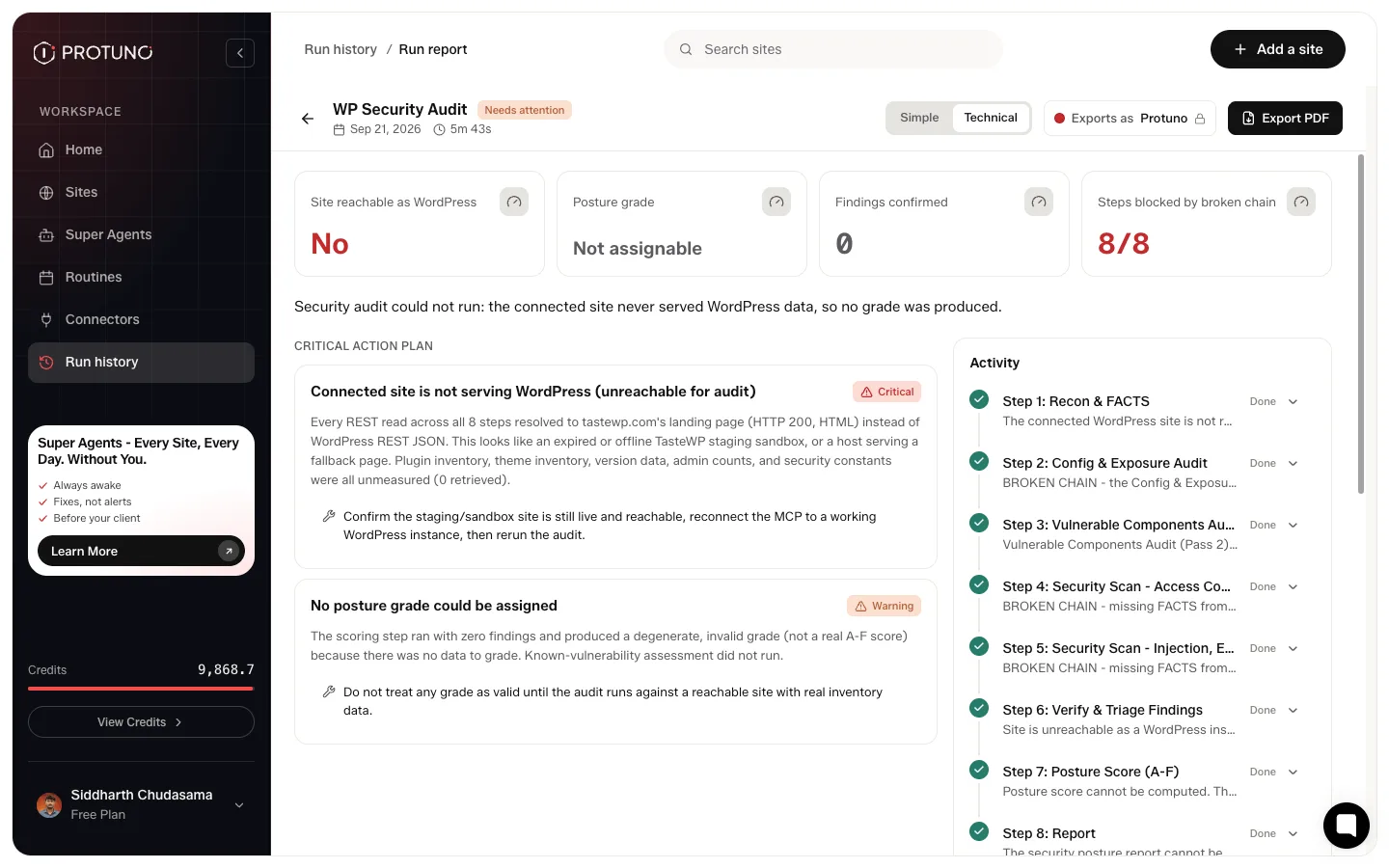
Each report has a simple and a technical view, and exports to PDF for sending on. After a run on staging, it is also your checklist: read what changed there before you move anything to your live site.
The example above is worth dwelling on. Every step ran, but the site never returned WordPress data, so the run reports zero findings and explicitly declines to assign a posture grade. An unreadable site is not graded as healthy. That is the behaviour to expect throughout: uncertain is never reported as fine.
Where to go next
- Routines, for work that should repeat without you asking.
- Super Agents: ask, approve, undo.
Leave a Reply